
Select a new theme:
Golf League Tracker Default
U.S.A.
Camo
Charcoal
Dark/Nighttime
Desert Sand
Fire and Ice
Monochrome
Ocean
Pink Pastels
SaveCancel
SMS (texting) is available as a paid option for US and Canadian numbers only. This service is not available outside of the US/Canada.
The SMS functions are located under Administration -> League Info -> SMS (Text) Messaging
Golf League Tracker offers an SMS (Text) Messaging option as a pay-as-you-go optional add-on. You purchase credits which are applied to your account, players opt-in to receive messages, then you can send them messages. The messages are logged along with the date and who receives them. Credits are deducted from your account, 1 credit per recipient sent for each message.
Credits carry over from season to season, and are non-refundable
Your credit balance is located at the top of the SMS Message section, and also appears on the Send Text Message screen:

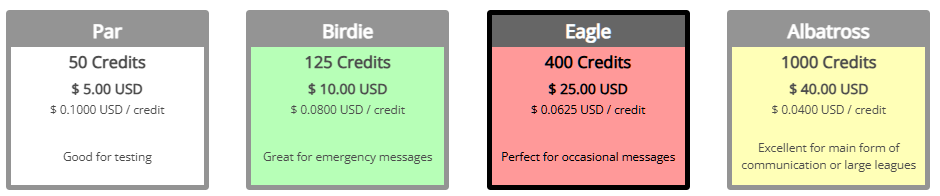
To purchase credits, so to the SMS Messaging section, and click Purchase Credits. You will be presented with the various packages. The more you spend, the cheaper it is per message. Choose your package, then the method of payment which will appear below the packages. Once the purchase is made, your balance will be updated in a few seconds, and you will be able to send messages. Credits are non-refundable and carry over from season to season.
Two things must happen for players to receive messages:
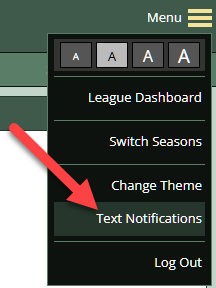
Having them in your player list is not enough. To opt-in, they can go up to the MENU in the upper right, and click on Text Notifications and then fill out the opt-in form. They will not appear in your list of available players if they do not opt-in.
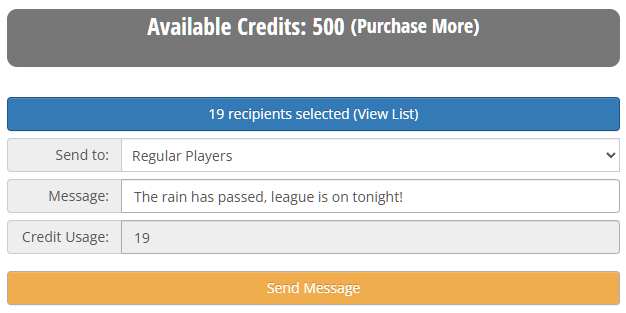
Click on Send Text Messages and simply fill out of the form. You can choose regular players, subs, all player, or individual players to send the message to. Your credit balance, credit usage and ending balance will be displayed to you before your message is sent.
Your credit purchases and usage can be viewed in the View Purchase History and Usage link on the SMS Messaging page